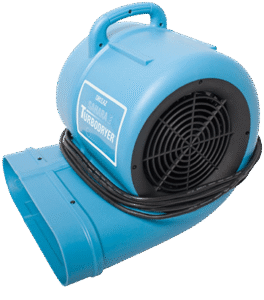
Carpet Drying Fan


Emergency? 24-Hours
416-800-0000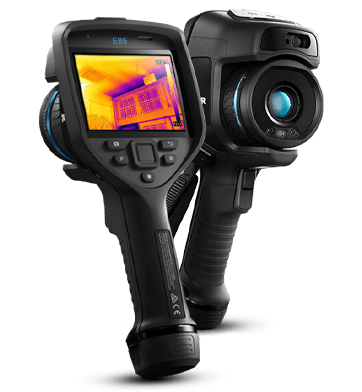
A thermal imaging camera shows surface heat patterns. Scan walls, floors, and ceilings without opening them.
After a leak, heat patterns can point to spots worth testing. However, a scan alone cannot confirm moisture.
Use a moisture meter to test suspect spots. Then, check the site to help find the cause.
Thermal imaging camera shows warm and cool surface patterns. However, it does not measure moisture. Use a moisture meter to check suspect spots. Also, confirm the rental model before booking.
FLIR E85 and E95 cameras show surface heat patterns. Each thermal imaging camera in this series captures subtle differences in temperature to create detailed images. MSX adds visible detail to thermal images. UltraMax can also improve saved images through supported software.
However, a colour change does not prove a leak. Use a moisture meter and a site check to help find the cause.
Scan walls, floors, and ceilings first. Then, test areas that need a closer look. Confirm the camera model before rental.
FLIR E85 and E95 cameras have touchscreen controls and image tools. Before use, review the model guide. Also, check which lens and software options come with the rental.
Contact GTA Restoration for thermal imaging camera rental in Toronto and the GTA. Tell us about your job and the dates you need.
Water can hide beneath floors and behind walls. A thermal scan may point to areas worth checking. Then, test those spots with a moisture meter.
For more tools, visit our restoration equipment rental page.
These FLIR models offer MSX imaging and touchscreen controls. However, confirm the exact model, lens, and software before rental.
For product details, see the official FLIR E85 camera page.
Warm or cool patches can guide a closer check. For example, compare the spot with nearby surfaces. Further tests can help explain the difference.
A thermal imaging camera does not confirm dampness. Instead, use a suitable moisture meter to check the material.
Thermal patterns may suggest air leaks or gaps in insulation. However, further checks must confirm the cause.
Save thermal images with the room name and date. Also, keep moisture readings and site notes. These details help explain the findings.
Crews may also need moisture meters and humidity meters. Choose tools that suit the job. Drying equipment serves a separate purpose.
Contact our team for rental dates, rates, and model details. Then, confirm the included items and return terms before booking.
Call to discuss camera rental in Toronto and the GTA.
Tell us about your job and the dates you need.
Thermal Leak Detection Review | Leak Detection | Vancouver Water Leak Detection | Montreal Water Leak Detection


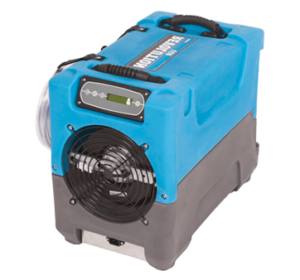
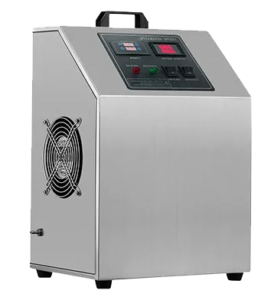
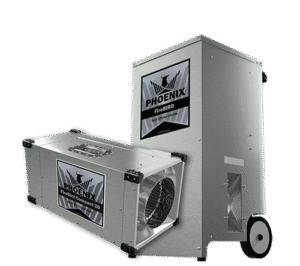
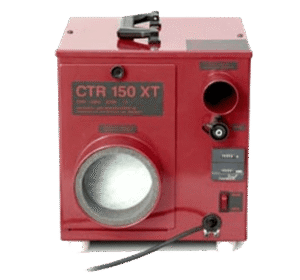

Use these notes to plan your thermal imaging camera rental. Then, confirm the details before booking.
Start with any leaks, stains, or heat-loss concerns. Also, tell us which rooms need a scan.
Ask which thermal imaging camera is available. Then, check that the model suits your job.
Confirm the lens included with the rental. Also, ask whether other lens options are available.
Learn how to focus and adjust the image. Before use, read the guide for that model.
Ask about the battery, charger, and case. Then, check what else comes with the rental.
A thermal camera does not measure moisture. Instead, use a suitable meter to check suspect areas.
Record room heat and airflow during the scan. These notes can help explain the thermal image.
Plan safe access before the visit. Also, tell the person doing the scan about known site hazards.
Keep each image, room name, and test reading. Then, add notes about where you took the scan.
Check the rental period, rate, and return time. Also, ask about any deposit before booking.
A thermal image alone does not prove a wall is dry. Review moisture readings and site findings before repairs.
Need a thermal camera for your next job?
Call GTA Restoration to discuss your rental needs.
Service Areas Across Canada
GTA Restoration serves communities across Canada, including Toronto and the GTA. U.S. locations are opening. Browse our Canadian service areas below, and contact us to confirm services and availability for your address.
Search
It shows surface heat patterns that can guide further checks.
No. Use moisture tests and a site check to help find the cause.
Call to confirm the available model, lens, and included items.
Ask for a quote based on your dates and rental needs.
Learn more ↴ 
Latest Articles
Direct Billing & Insurance Claims
Ask your insurer about coverage, deductibles and the records it needs.

In-House Financing Available
Financing up to 24 months. No interest. No money down. Ask us about the terms.
Certifications & Insurance
View our firm certification, technician qualifications and insurance documents.

IICRC Certified Firm
GTA Restoration Inc.
Firm number 199912
Valid through
Business Insurance
GTA Restoration Group Inc.
$5 million general liability per occurrence
$8 million contractors pollution per claim
–
IICRC Technician Qualifications
Richard Mark Provence · Registration 55726
Certificate expires
Water Damage Restoration · Fire & Smoke Restoration · Applied Microbial Remediation · Odor Control · Trauma & Crime Scene
View technician verification (PDF) — opens in a new tabInsurance is subject to policy terms, conditions and exclusions.





Call Us 416-800-0000